Review Comments (1) Screenshots (3) Questions & Answers (0) Votes (33) Awards (11) Wiki  
-Please log in to rate
4.2 4.2/5 (33)
-BonSoft
-1.5.1.1
-www.clocx.net
-Freeware
- 12 355 people
Download ClocX

941.87 KBDownloaded 2415 times

 
This software was checked for viruses Last month and was found to contain no viruses
Click here to see antivirus report.

Review

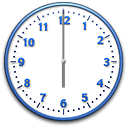
ClocX is an analog clock application for Windows platforms. It supports pretty much all Windows versions, from 9x to Vista. This clock is not a Vista gadget so you can use it even without the sidebar. The clock has many features, but after all, it is simply a clock. You can set the clock to be always on top, to be unmovable, to be pinned to the desktop and more. The application has several different transparency options, so you can even dim it down so it is visible, but not too much. That is a good feature for when you need to know the time but don't want a huge clock there all the time. ClocX comes with several image files that can give the clock itself a different look depending on your mood. There are some 150 PNG images that change the way the clock looks. You can also use this to set alarms, which you can browse. Also, the application comes in many languages, not that you need to speak English to read a clock, but, well. This is a freeware application that you can even start with Windows every time, so you always know the time. The latest version of this application is 1.5 beta 2. However, this review deals with version 1.5.
Advantages
  • Many features.
Disadvantages
  • None, I guess.

Reviewed by: José Fernández

Reviewer rating: Editor's rating 5

Screenshots

Clock Clock Options Options Appearance Appearance

Latest comments

Guest #97840764(beginner) 2 months ago 
My son left me in a lurch a few years ago by "borrowing" my clock radio. I'm a very sound sleeper so must be basically jarred out of bed to be wakened so needed something that would make lots of loud, annoying noise, ( your option ).
Being fairly new to the internet and not even knowing if there was something like this prgm available I thought it was worth looking for anyway and after a google such found this one and I've never even ask for the old clock radio back.

It's so simple and easy to use it might be overlooked as being boring but if you're looking for easy of use, reliability and complete control then you've found what you're looking for right here and you don't have to be online for it to work.

After installing I looked under options, can't say I understood much but did adjust transparency as I didn't need the little clock on the desktop, just the icon in the taskbar. Once that was done all I've ever had to do was right click on the icon, and pick alarm. The window opens to show you buttons for new, edit, delete and test. Clicking 'new' opens window to 'reoccurence:' (pick once, daily, weekly, monthly or yearly in drop down menu) date you want the alarm to work, ( where you will find a calendar if needed) and time you want it to go off. You can check 'show alarm window' and there's an optional window for description ,if you wish to use it, for why the alarm is going off,( such as a tv show or cake baking). You pick the sound you want to use for the alarm by browsing your computer, any WAV sound ( I use messenger's 'online' wav as it's the most annoying sound I know, on my computer anyway). You are then given a check box for Execute application, I've never used it but again there's the browse button for that option also then a box for Shutdown PC after alarm. Click OK, it closes and you're back to the ltttle window you started at.
You can edit at this point if you decide to change anything you did, you can delete when cleaning out or just change your mind. The test button will set your mind at rest that you did it right.
Make sure the little box is checked next to the time you've set, then and this is major, be sure a CHECK THE VOLUME ON YOUR SPEAKERS!! lol

This whole thing takes about 20 seconds and if you've made sure your volume is up, you'll never have to worry about being late or missing another appt, burn a cake, forget a movie or new tv prgm,....
Add new comment All 1 comments
Tag cloud
Download siClient

Email Address:

Password:

Register now »

Forgot password?

Copyright © 2009, Informer Technologies, Inc. About| Privacy and terms| Help| Feedback